Index:

2. Creating your first website.
5. Some blocks that you should know.
4. Creating a menu
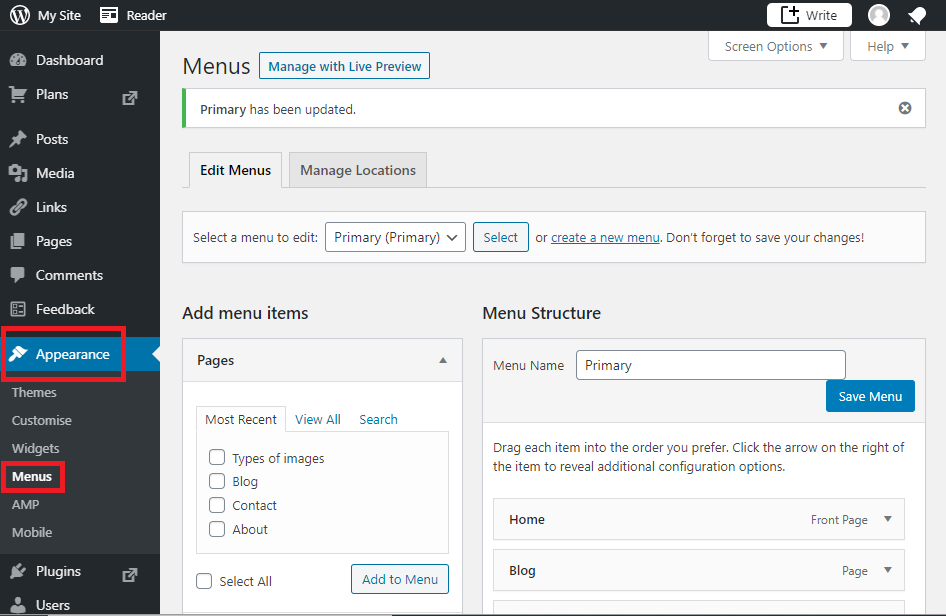
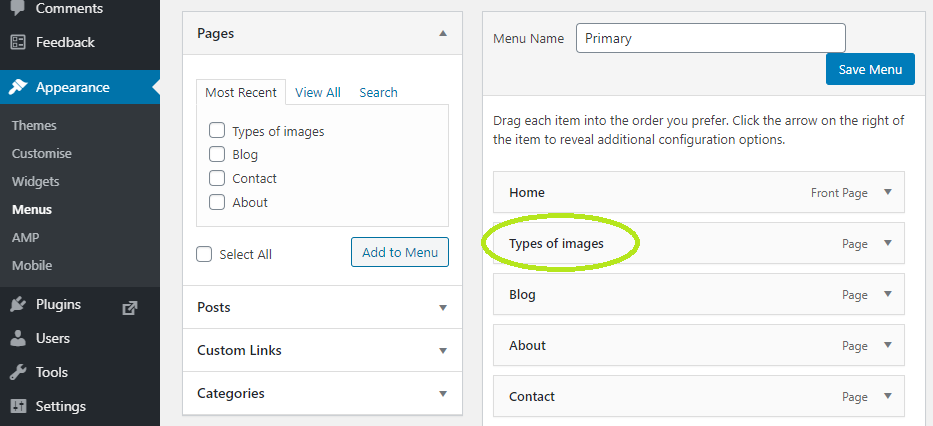
Menus are essential to make it easier to move from one part of the website to another. To create one you will need to click on Appearance in the left part of the dashboard and the select Menus.
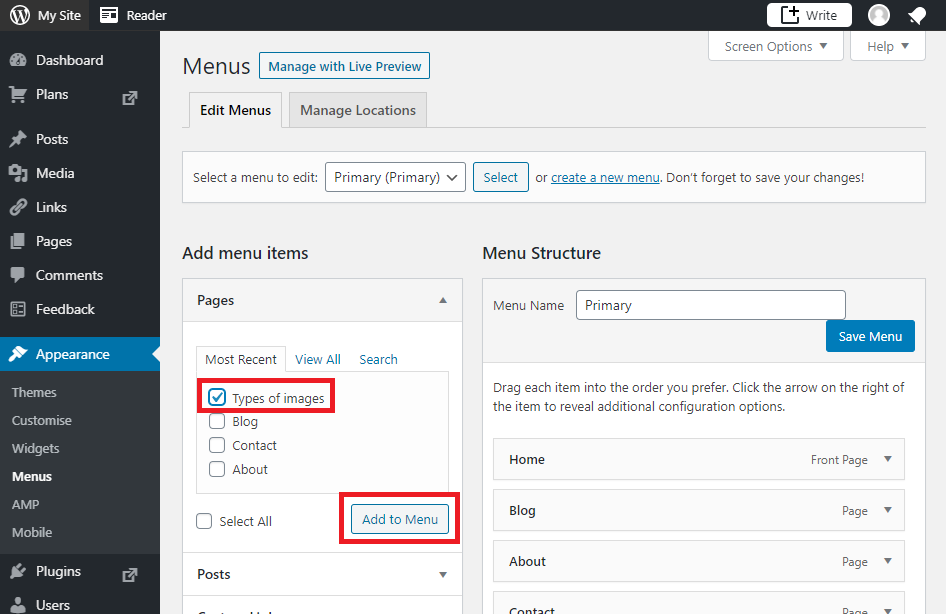
After that, choose (with a tick) the pages that you want to include in the menu and click on the Add to menu button. In this case we have added the page whose name is: Types of images.
You will see how the page appears on the right part of the screen, at the bottom of the list. You can change the order in which the pages will appear on the menu just by dragging them to the correct position. For example, in this case, the page Types of images has been moved to the second position of the menu:
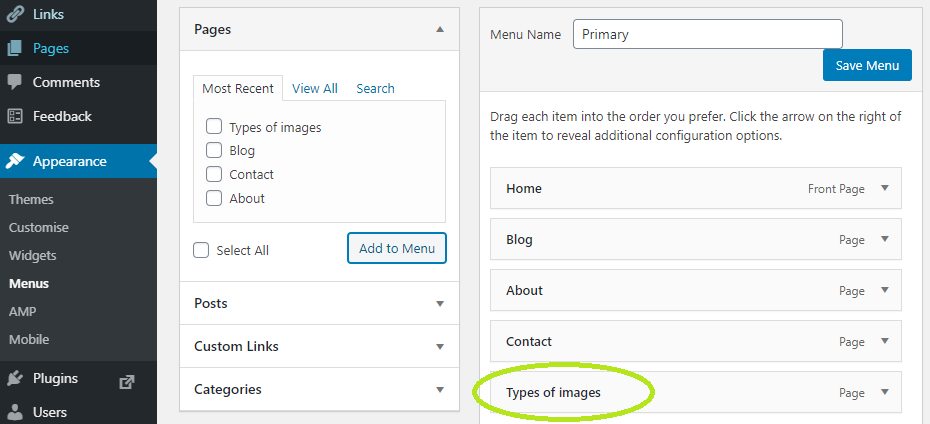
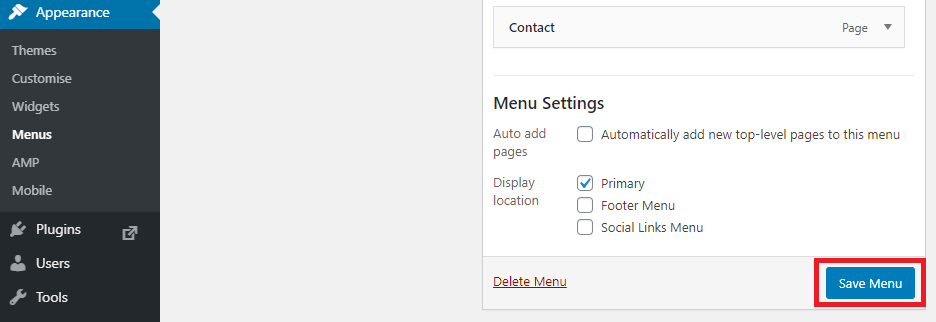
Finally, don’t forget to click on the Save Menu button:
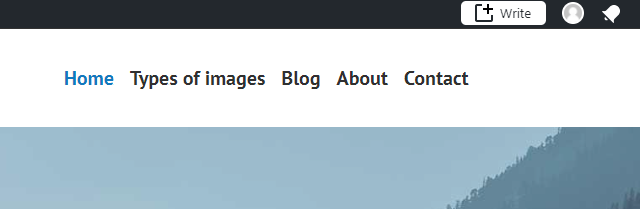
In this case, the menu will look like this: