Lesson 5:

How to send an email to more than one person.
If you want is to send the same email (same subject and body) to several people at the same time, you only have to type an email address, press the space key (or enter), type another address, press the space key … and so on:
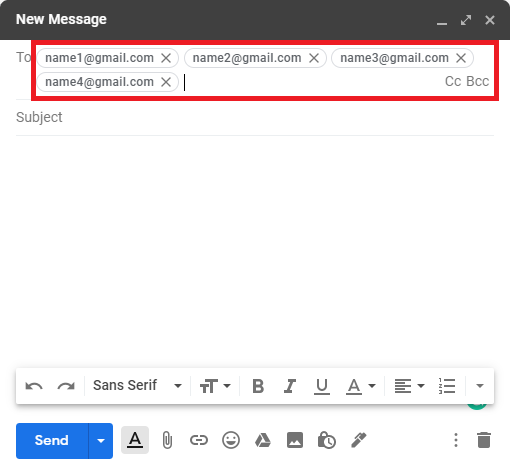
In the example above the email would be sent to four different addresses at the same time, but you can add as many email addresses as you want.
The difference between replying and forwarding an email.
It is very important to know the difference between replying to an email and forwarding it:
- Reply an email: is to send another email to the same person who sent you the email to answer it. If, for example, you receive an email from a friend asking you when an exam is, you should reply to it with the date of the exam.
- Forwarding an email is sending to another person (or several) an email that you have received from any other person. If, for example, a relative sends you an interesting article by mail and you want to share it with a friend, what you will have to do is forward that email to your friend.
How to reply to an email.
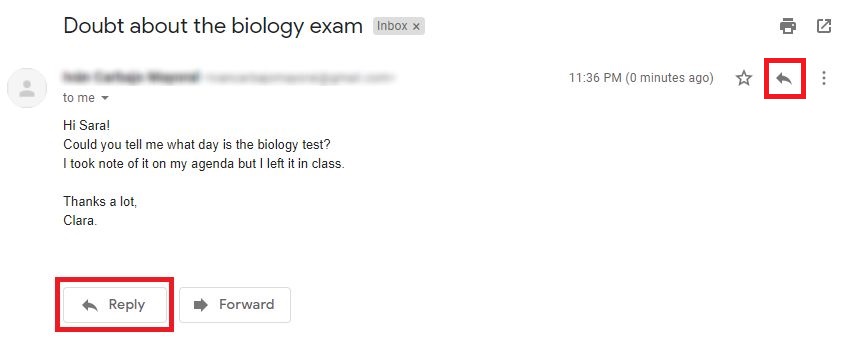
Replying to an email is quite simple, once you’ve opened email there are two options, you can click on any of the two buttons outlined in red:
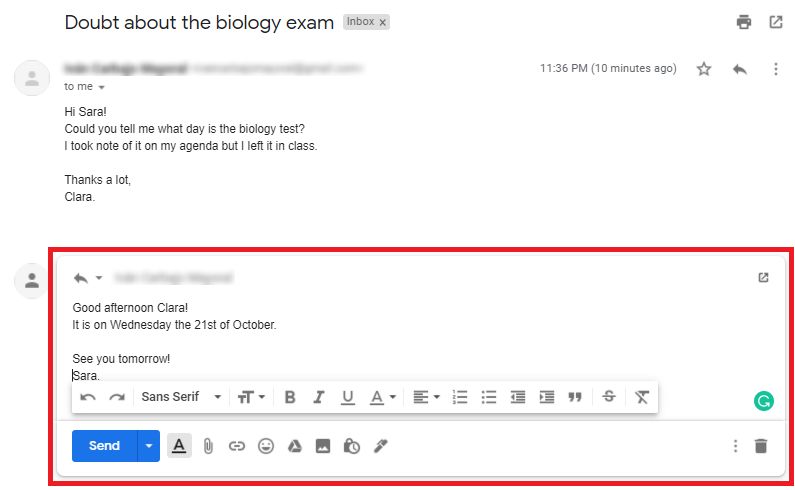
Then a new window will open so you can write your answer. Note that, in this case, it is not necessary to write any subject, since the subject will continue to be that of the first email, in this case «Doubt about the biology test»:
How to forward a message.
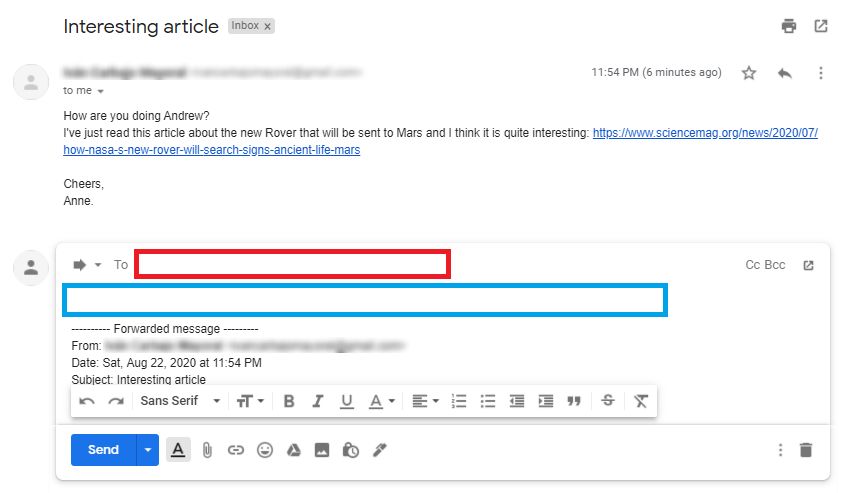
Now imagine that you’ve received the email below from your friend Andrew. You have read the article and you’ve liked it, so you want to send it to another friend. In that case you will have to click on the Forward button (outlined in red). If that button does not appear, you can click on the three vertical dots and select Forward (green):
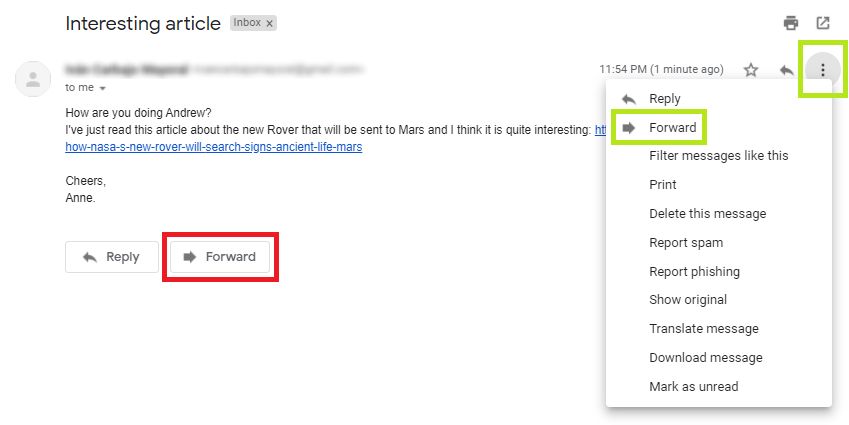
Clicking on Forward will open a new window in which you can write the address of the person to whom you want to forward the mail (field boxed in red). You can also add a message for that person (area boxed in blue) if you want it.