Lesson 2:

Images search
Another interesting use of search engines is to find images related to a specific term. If, for example, you want to look for images of any kind of landscape, just type the word «landscapes» in the search bar and then click on the «images» option (red rectangle):
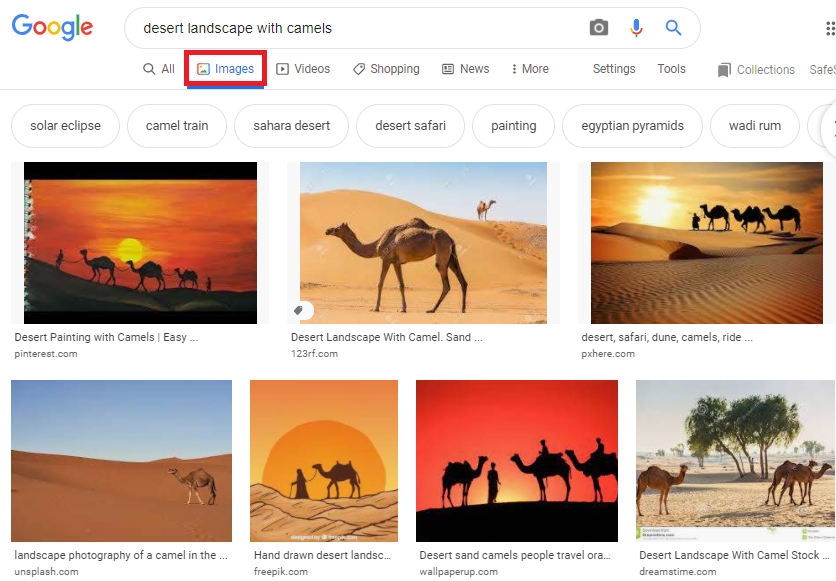
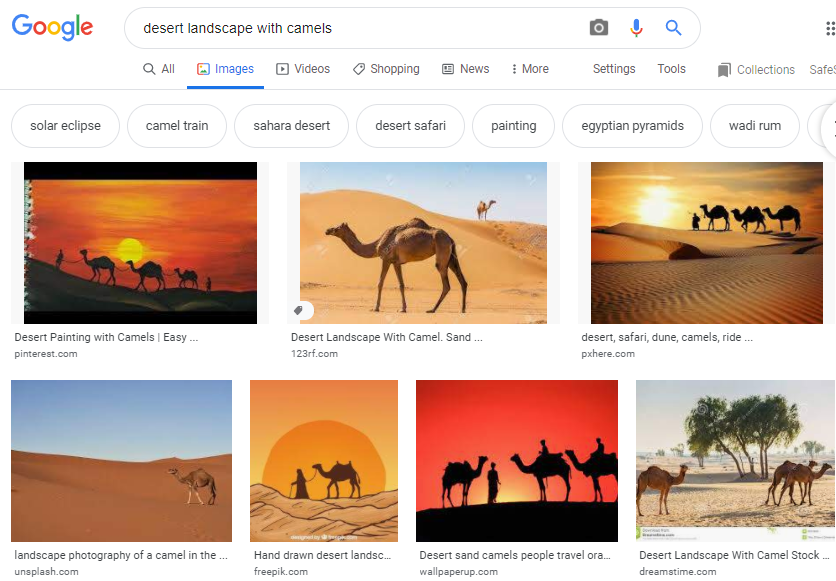
But, as with general searches, the more you specify the search, the easier it will be to find the image you are looking for. If, for example, you need an image of a desert landscape with camels, it will be faster for you to do a search such as: «desert landscape with camels».
How to find an unknown image?
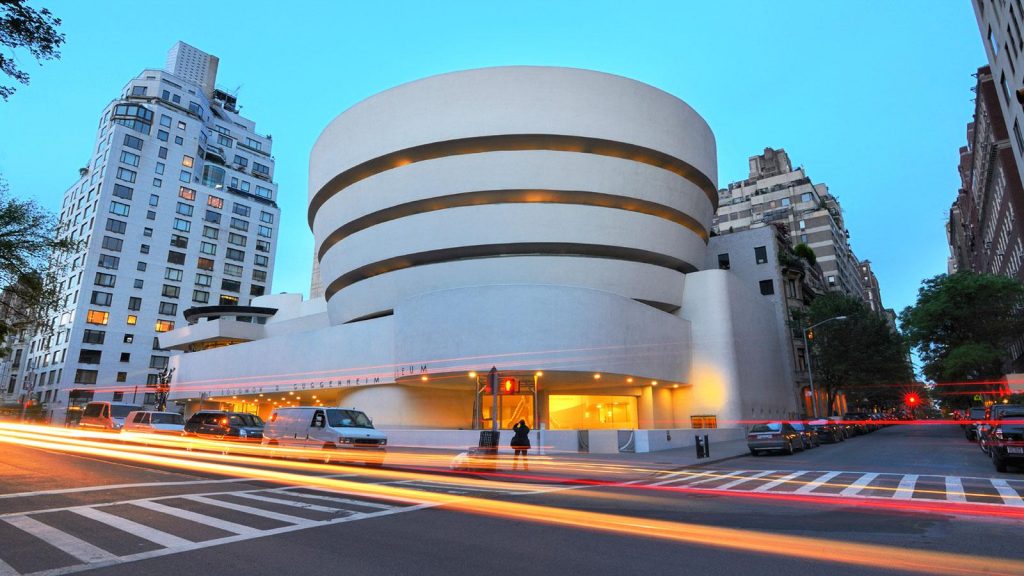
Google also lets you find images that are similar to another one. This might help you to identify a landscape, person or building that appears on an image. That is, imagine that you have an image of a building, like the one below, that you would like to visit, but you do not know where it is.
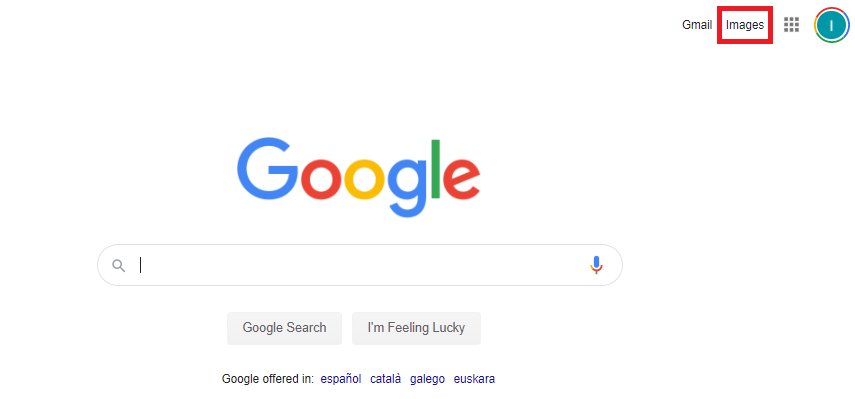
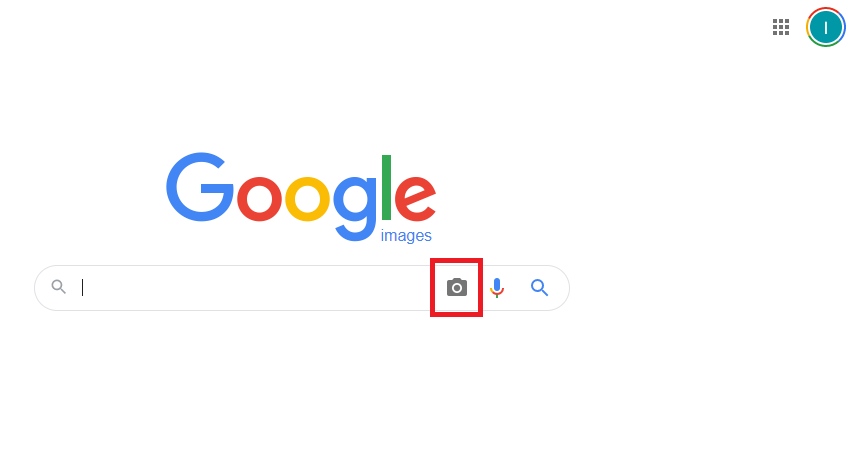
There is a Google search option that allows you to find images similar or identical to another on the Internet, as well as information about their content. To do this you must select the Images option in the search engine:
Then click on the camera icon:
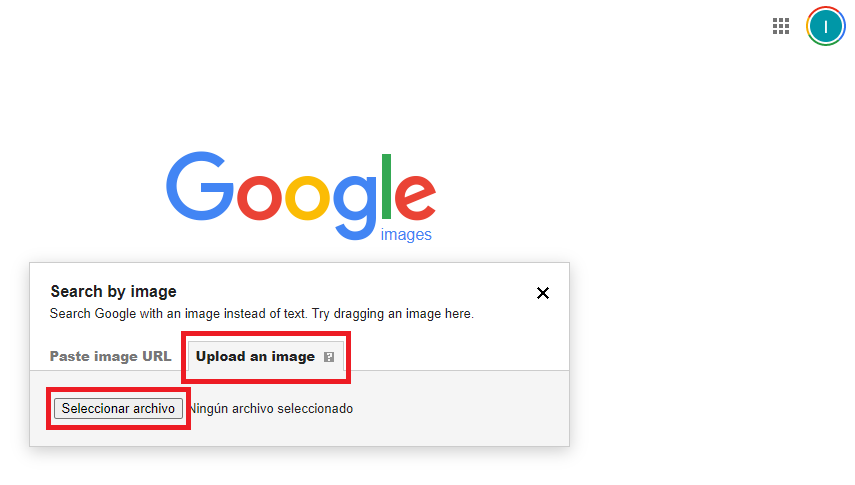
Select the option to Upload an image and then select the file (the image) you want to search:
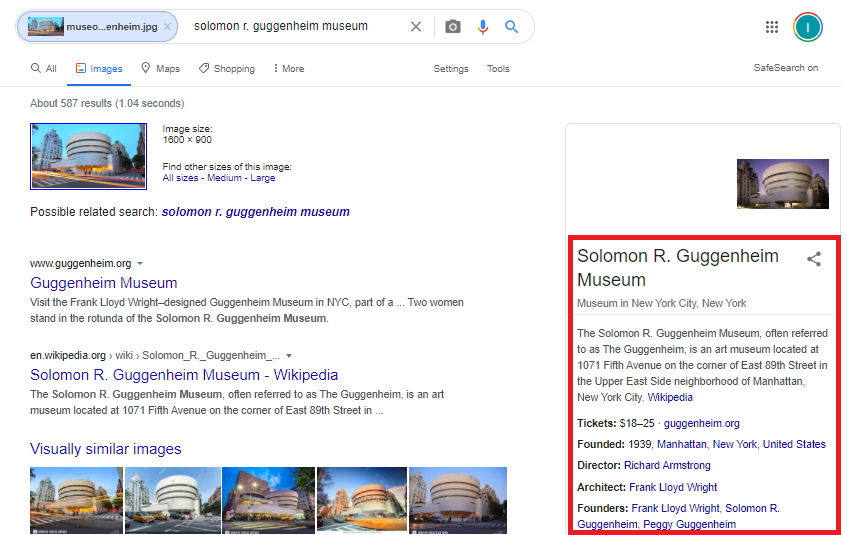
As you can see, Google will show you all the information related to the image, in this case it is the Guggenheim museum, located in New York, built in 1939 and whose entrance costs between 18 and 25 dollars. And you will also be able to find other similar pictures.
Searching routes with GoogleMaps.
The last functionality of the Google search engine that we are going to use is GoogleMaps. This is an application that can be used both on the computer and on the mobile phone. Here we are going to see how it is used in a computer.
If you want to access GoogleMaps directly, you can click in the following link: https://www.google.com/maps/. However, there is another option.
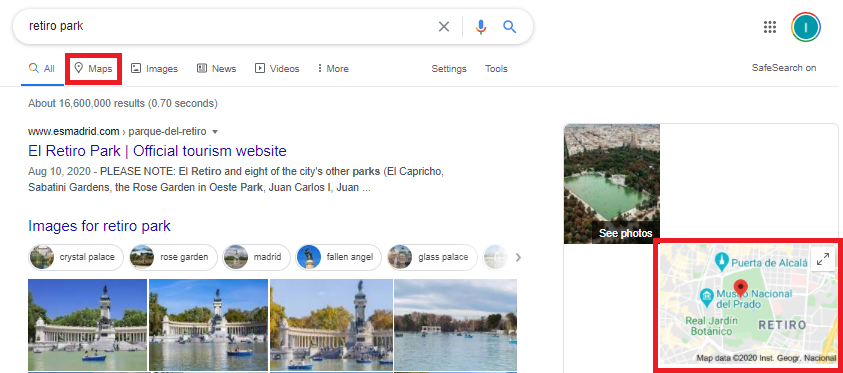
Imagine that you are at home, which is located in Puerta del Sol, in the center of Madrid, and you are going to spend the afternoon with some friends in El Retiro Park. If you want to find the best option to get there, you just have to type «Parque de El Retiro» in the search bar and then click on the Maps option or on the small map that appears on the right:
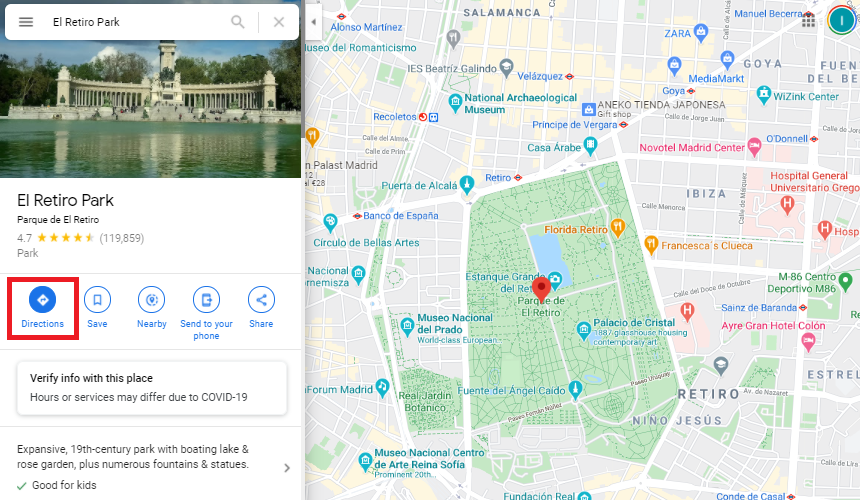
And then click in the Directions button:
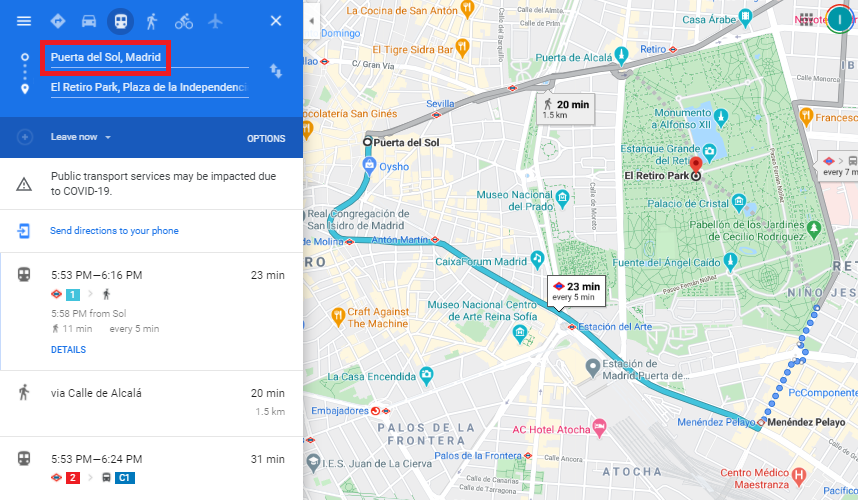
After this, you will have to indicate the starting point of the route (this will not be necessary if your device knows your location beforehand).
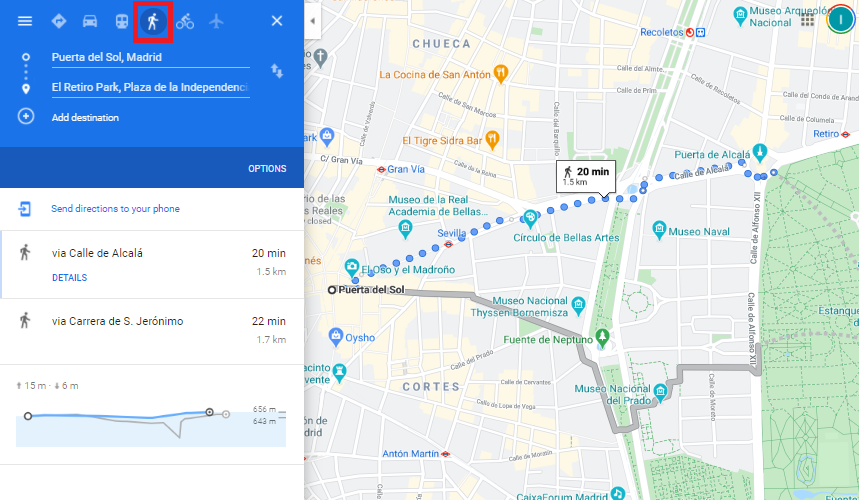
Finally, you will need to select the travel mode: car, public transport, walking, bicycle … For example, in the option below, the «walking» mode has been chosen:
Route that passes through several places.
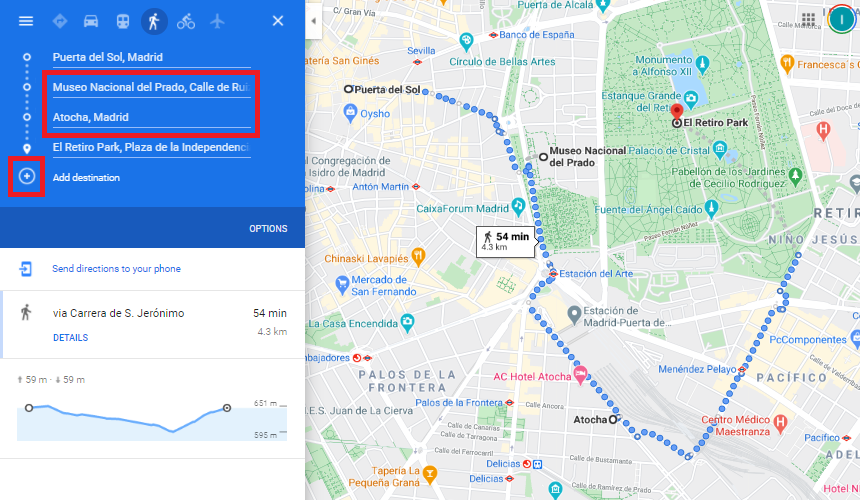
An option of GoogleMaps that can be very useful on certain occasions is the one that allows you to find the best route between two places with several intermediate destinations. To do this, just click on the «+» symbol that is boxed in the image below and add the name of the new place. In the example, two stops have been included, one at the Prado Museum and another at the Atocha train station:
Rout at a certain hour.
The last functionality of GoogleMaps that we are going to practice is the one that allows us to search for a route at a certain date and time. The time at which a journey is not too relevant when it is to be done walking, however, it can be of great importance if public transport is to be used.
It is not the same to travel from one city to another during the week than on the weekend as there will probably be different schedules depending on the day. it is not the same either to take the underground at rush hour, when trains arrive every 5 minutes, that at the end of the day. All these facts must be taken into account if we do not want to be late to our destination. To solve this problem, GoogleMaps has a tool that allows you to choose between several options when making a journey:
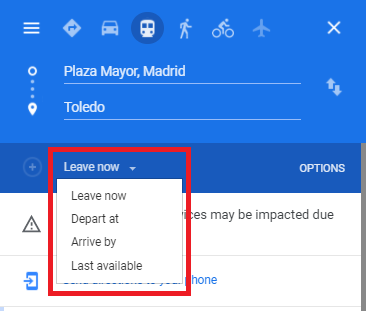
Imagine that you live near the Plaza Mayor in Madrid and you need to arrive in Toledo on January the 27th before 9 in the morning. In that case, you will have to select the following option:
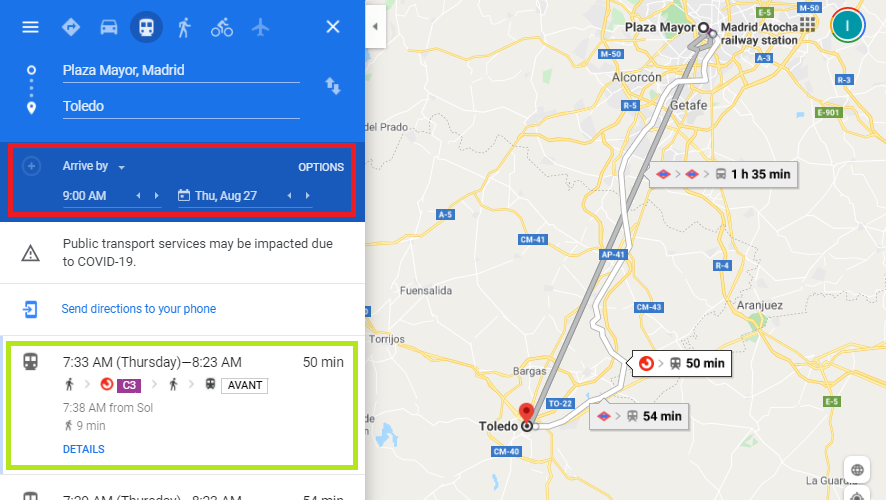
As you can see, GoogleMaps has found a combination of public transport that allows you to arrive in just 50 minutes from the Plaza Mayor to Toledo before 9:00.