Block 3: use of sensors.

Exercise 46: [medium]
Assemble the circuit and complete the words that are missing in the program to make it show the values measured by the LDR in the serial monitor. Solution.
Note: a delay can be added at the end of the program in order to ease the reading of the values.

Exercise 47: [medium]
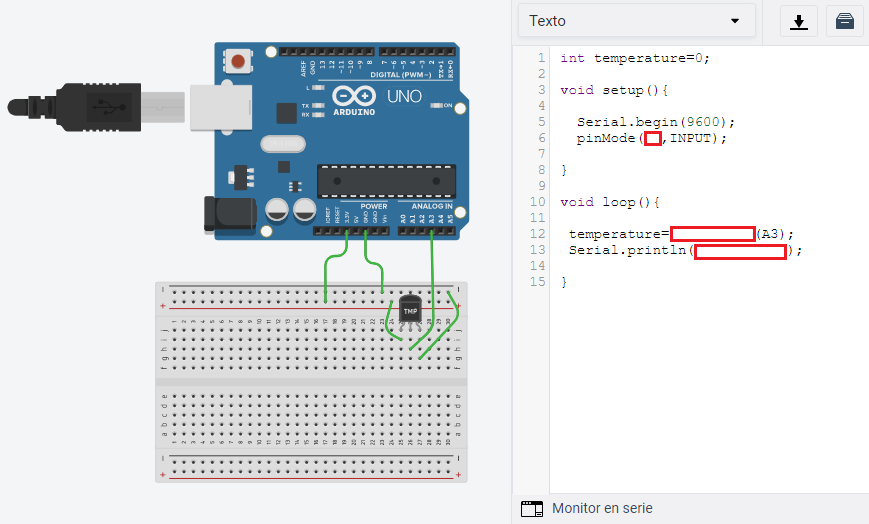
Assemble the circuit and complete the words that are missing in the program to make it show the values measured by the temperature sensor in the serial monitor:
Note: a delay can be added at the end of the program in order to ease the reading of the values.
Exercise 48: [medium]
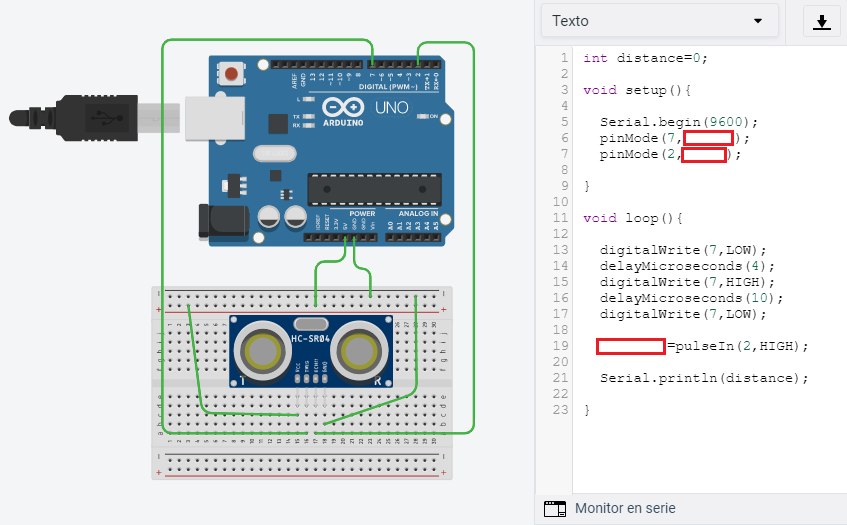
Assemble the circuit and complete the words that are missing in the program to make it show the values measured by the ultrasonic sensor in the serial monitor:
Note: a delay can be added at the end of the program in order to ease the reading of the values.
Exercise 49 (control of an LED with a light sensor): [medium]
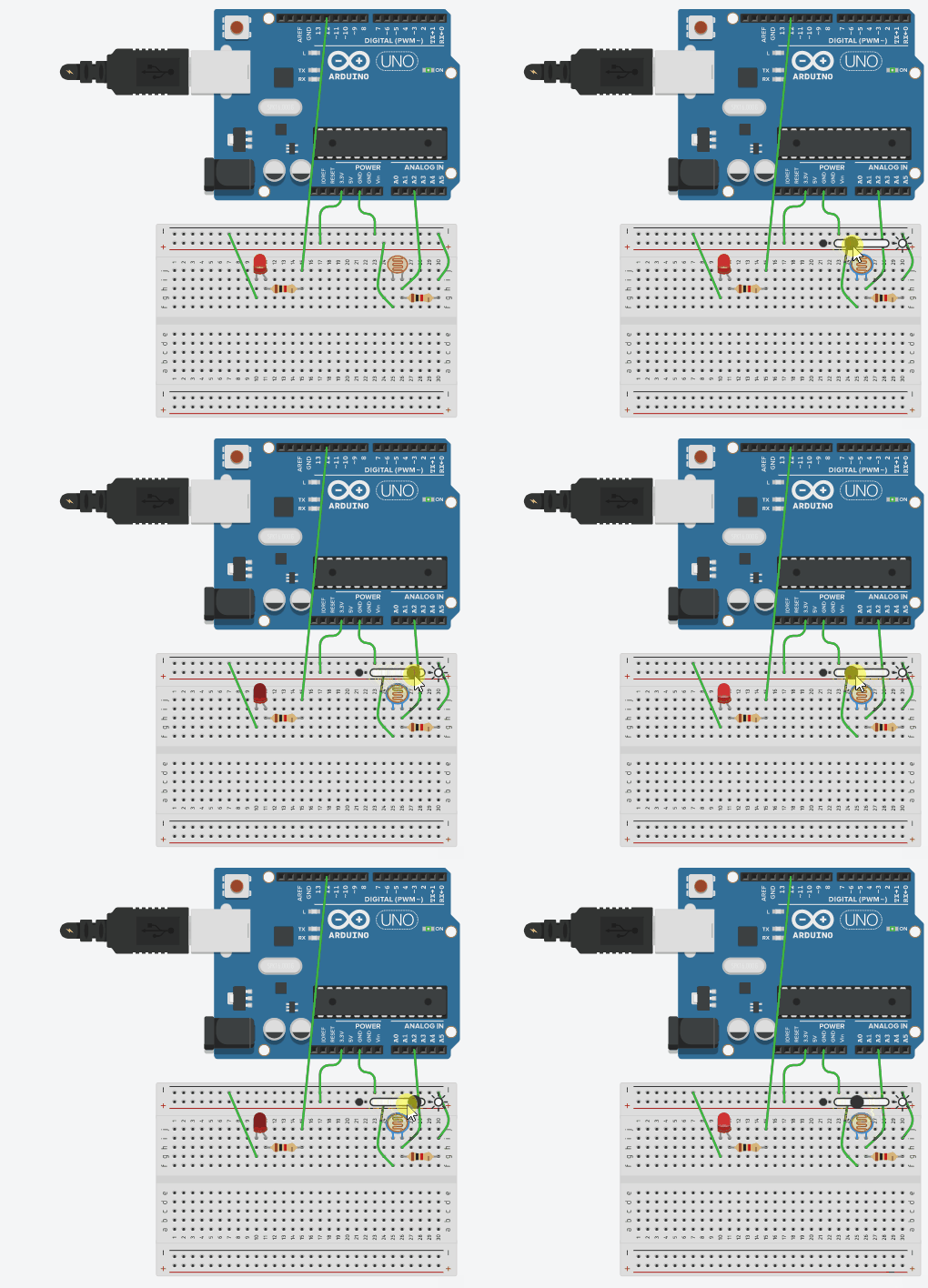
Imagine you are designing an automatic system that lights up a bulb when a room is too dark. In this exercise you will need to light up an LED when the light level measured by the LDR is low and turn it off when the sensor gets a higher level of light. You can try the program of this example and vary the value of light that makes the state of the LED change (in this example a value of 350 has been used).
Exercise 50: [medium]
In this exercise you must program the LED so that it turns on when a lot of light reaches the sensor and turns off when no light reaches the sensor.
Exercise 51 (control of a servomotor with a light sensor): [hard]
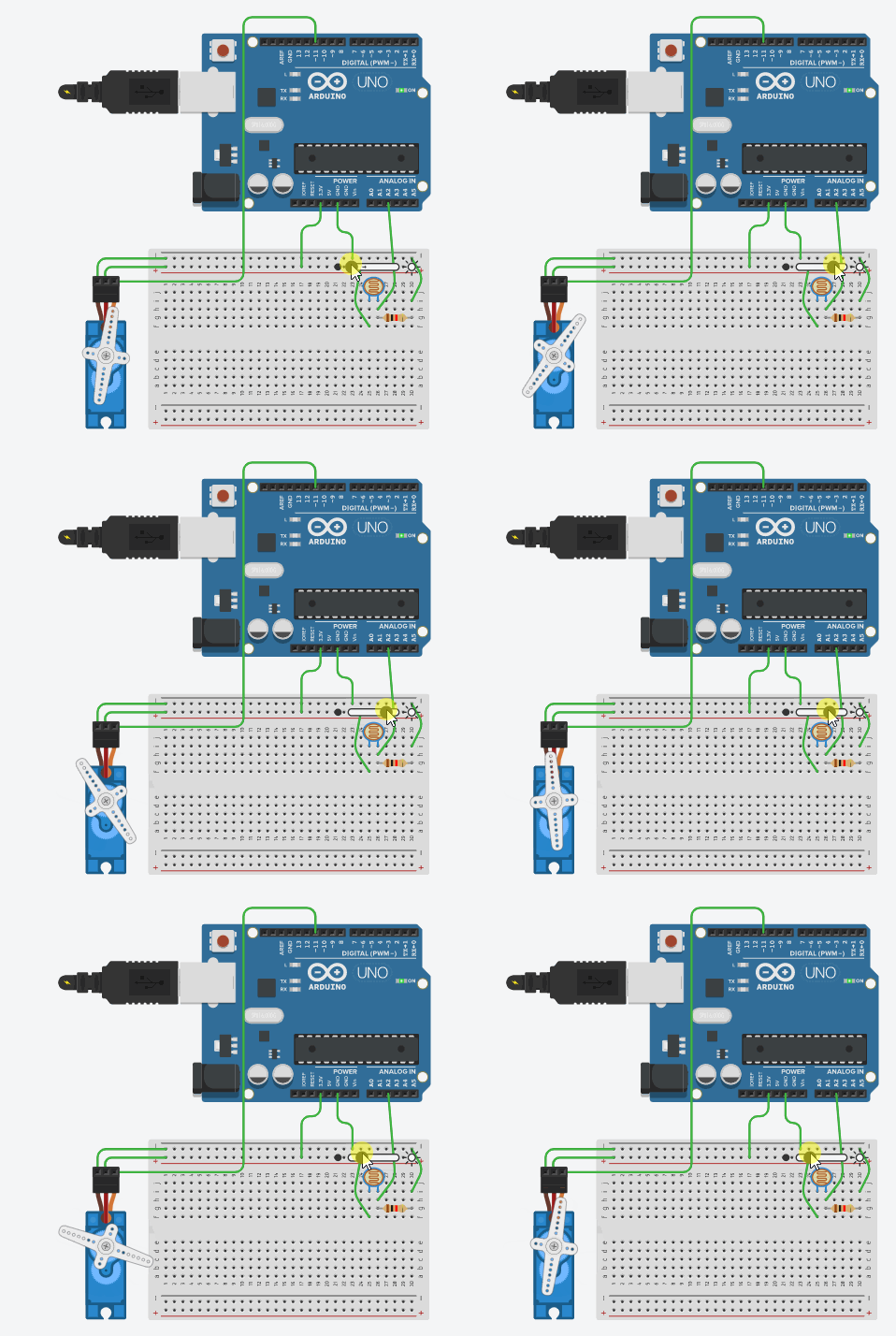
Imagine you need to design an automatic system that adjusts the position of a blind according to the light that enters a room. To do that you must make a servomotor move:
- To angle 180º when the value of light measured by the LDR is smaller than 300
- To angle 0º when it is higher than 300.
Exercise 52 (control of a buzzer using a temperature sensor): [hard]
You must design an alarm system that makes a buzzer (connected to pin 10) sound with a frequency of 494Hz when the value meassured by a sensor exceeds 300. When that value is not reached the buzzer will reimain quiet.

Exercise 53 (control of an LED using a distance sensor): [hard]
Design an automatic system that turns an LED on when an ultrasonic sensor measures a value that is smaller than 3000 (around 53cm in the Tinkercad simulator).

Exercise 54: [hard]
In this exercise two LEDs must be connected and programmed so that one of them turns on when there is very little light, while the other one stays off. Conversely, when there is a lot of light, the LED that was on will turn off and the one that was on will turn off.
Note: in this case, you must specify, for each of the two cases, which LED is on and which LED is off. This makes it necessary to use keys, as you can see in this example.
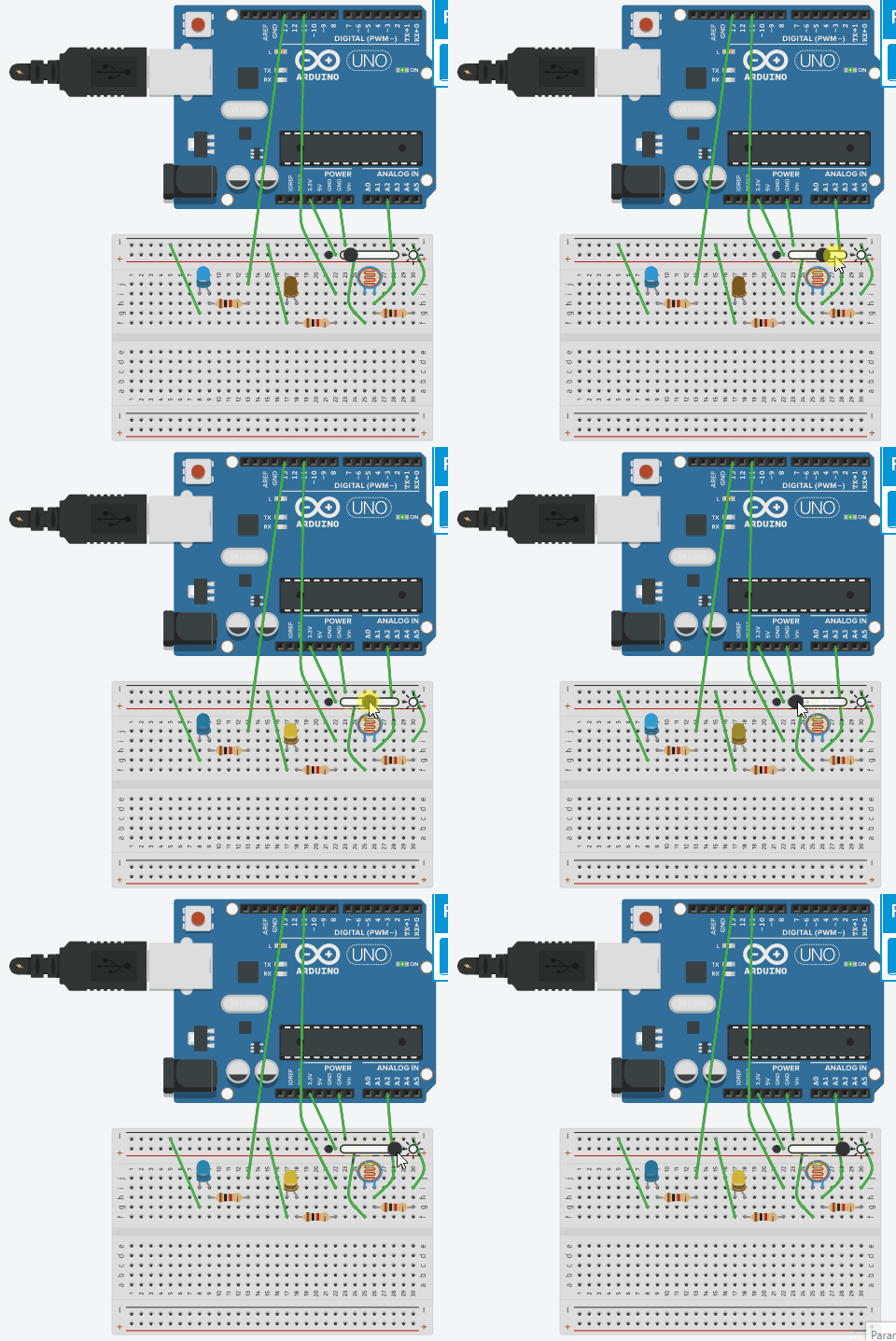
Exercise 55: [hard]
In this exercise, you must connect two LEDs and an LDR (light sensor) and the write a program that:
- Turns both LEDs on when light level is lower than 100.
- Turns one of the two LEDs on when light level is in between 100 and 400.
- Turns both LEDs off when light level is higher than 400.
Note: you can write more complex conditions using this symbols: «&» to represent «and»; «|» to represent «or». For example:
a) If you want something to happen when the sensor measures any value in between 200 and 300, the condition would be: if ( measure > 200 && measure < 300) …
b) If you want something to happen when the values are lower than 100 or higher than 500, the condition should be: if ( measure < 100 || measure > 300) …
Exercise 56: [hard]
now you must improve the program of exercise 51 including a third case in which the blind will stay in the middle. In this case, the servomotor must move:
- To angle 180º when the value of light measured by the LDR is smaller than 200
- To angle 90º when it is between 200 and 300.
- And to angle 0º when it is higher than 300.
Exercise 57: [hard]
Modify the previous program so that one of the LED blinks (each half a second) when the level of light is low and the other blinks when the level of light is high.
Exercise 58: [hard]
Design an intelligent parking assist system that makes a buzzer beep faster as any object is aproaching an ultrasonic sensor:
- If the value measured by the sensor is between 200 and 2500 the buzzer will beep each 0,1 seconds.
- If the value is between 2500 and 5000 the buzzer will beep each 0,3 seconds.
- If the value is between 5000 and 8000 the buzzer will beep each 0,7 seconds.
- In any other case it will remain quiet.