Lesson 2:

Project plans.
This part has already been studied in detail in the Technical drawing unit, therefore we’ll only explain that two types of plans are usually distinguished:
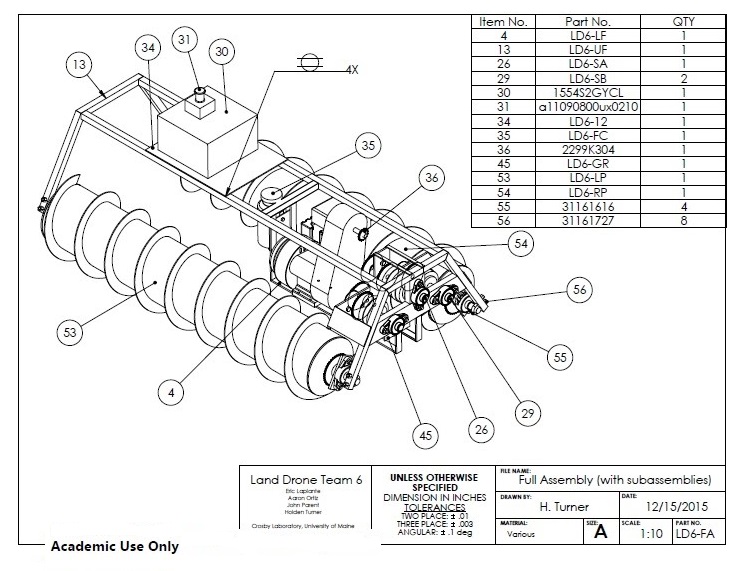
a) Overall drawings (or assembly drawings): which are representations of the whole construction or machine that is going to be created. They are usually drawn in perspective, although a plan of the floor of a house can also be considered an overall plan.
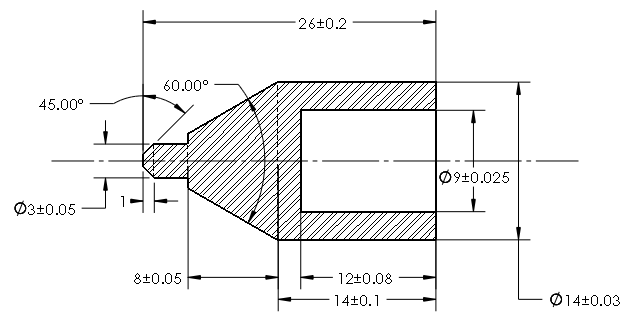
b) Partial drawings: which are representations of certain parts of the construction or the machine that is being designed. These plans allow us to represent details that can not be included in overall drawings. These types of drawings are usually perfectly dimensioned and can even include some tolerances, that is, the maximum error that can be made in its manufacture.
Project budget.
The budget is the economic planning of the project. For a technological project to be successful it is important to have previously calculated what the cost of the project will be. The budget can include:
- Purchase of materials.
- Payment of workers’ wages.
- Water and electricity consumption.
- Payment of software licenses.
- …

This planning is essential in order to estimate how much money will be necessary to carry out a project. Imagine that, in the middle of the project, we realize that we lack the necessary economic resources to continue and therefore we are forced to leave the project before it is finished.
A program that can be quite useful when making our budget is Excel, since it will make it much easier for us to carry out the necessary calculations. Below you can see an example of a table with the budget for a basic home renovation:
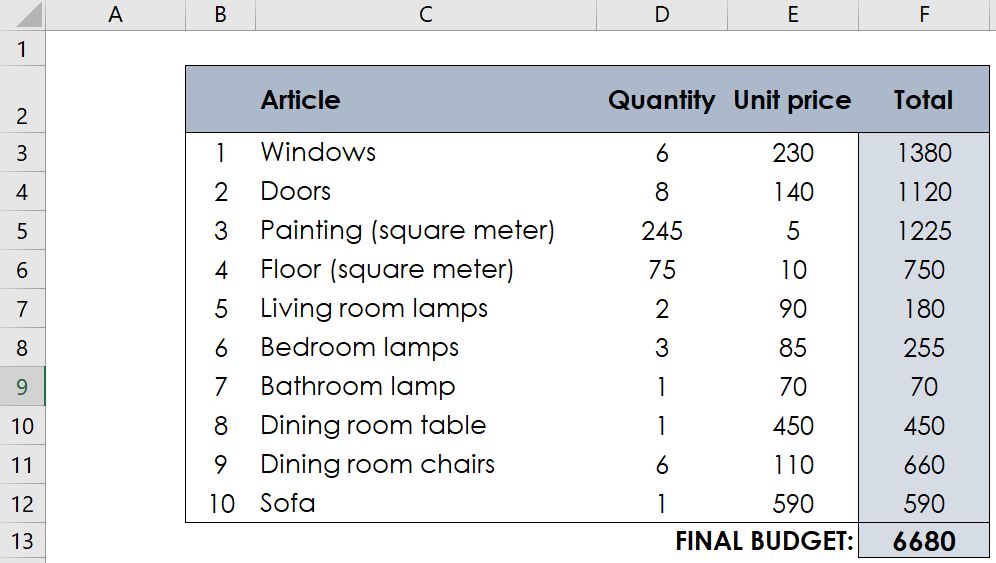
In this type of tables, at least the columns above are usually included: article or item, quantity (number of units of that article), unit price and total cost of each article. The formulas to be included in Excel are:
- Calculate the total cost of each item by multiplying the quantity by its unit price. If, for example, you want cell F3 to show the result of multiplying cells D3 and E3, you will have to type the following formula in cell F3: = D3 * E3
- Calculate the final budget by adding the totals of all the items. If, for example, you want to add the cells from F3 to F12 and show the result in cell F13, you will have to write the following formula in cell F13: = SUM (F3: F12)
Páginas: 1 2