Lesson 2:

What is a website? And a webpage?
Though sometimes the terms are mixed, a website is a collection of webpages that are connected together through links (also known as hyperlinks). On the other hand, a web page is a part of a website with links to other webpages. Therefore, websites are usually made of several webpages.
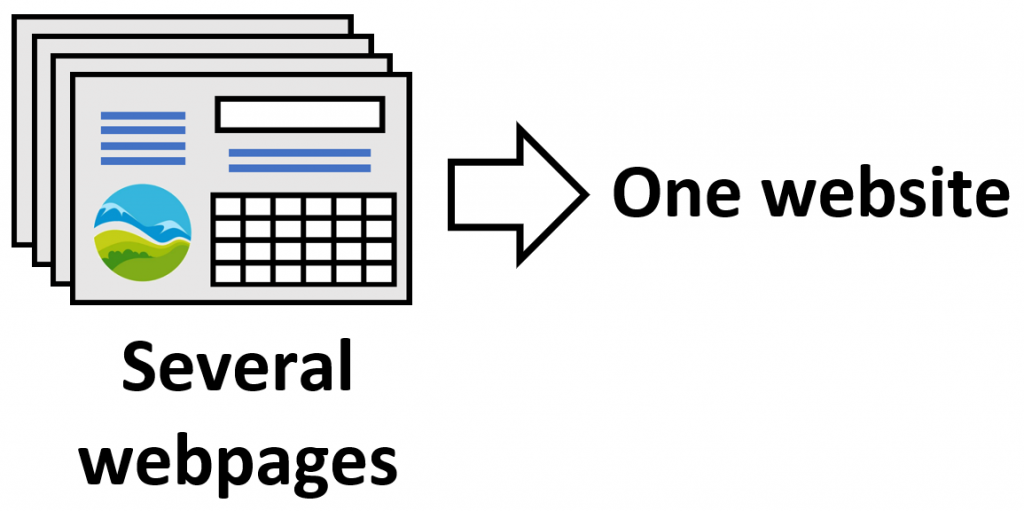
Just as an example. This website is called yourtechnologyweb.com, and is made of a lot of different webpages such as this one, whose title is Internet and webpages, or What is technology?, that is another webpage for 1st of ESO.
We all know examples of websites that we use every day. What you may not know is where those web pages are phisically located or how it is possible to access them through a computer. Let’s see it…


The servers.
Servers are computers a little different from the ones we are used to seeing every day, for example, they use a specific operating system and use multiple power supplies. Servers are connected to the Internet 24 hours a day and are responsible for storing information and transmitting it to other computers.

Depending on the type of information they work with, multiple types of servers are distinguished depending on their function:
- File servers (FTP servers): they store different types of files that Internet users can download.
- Web servers: are in charge of storing the information (images, texts, videos …) of the different websites of the Internet, as well as sending that information to the people who access them.
- Mail servers: are in charge of managing the messages sent and received by emails.
- DNS servers: we’ll see its function later.
Sometimes a single server performs several of the functions indicated above, while on other occasions, a large number of servers are necessary to host a single website. Each server that is connected to the internet, as it happens with any other computer, has a unique public IP address.
Web browsers.
As we have seen above, web pages are stored on servers that can be located in any country in the world. To access a website, you need to access the server where it is hosted and that is done through its IP address.
When we want to access a website we use an application called web browsers. Web browsers are a software designed to access the Internet and search for the server on which the website we are looking for is hosted. Once they’ve found it they show us its information on the screen of the computer or mobile phone that we are using. The most commonly used web browsers are:
(Google Chrome)
(Safari)
(Firefox)
If you want to access a website and you know the IP address of the server where it is hosted, you can enter it in the search bar of a browser and you will access the website. For instance, you can try typing 31.13.83.36 in any web browser, which is the IP address for the Facebook server, or 172.217.16.228 which is the IP address of the google server.
Note: on many occasions, directly typing the IP address of a website in the browser does not take you to that page. The reason may be that there is more than one hosted web page on the server corresponding to that IP adress.
However, there is a little problem, it is not possible to remember the IP address of each of the websites we visit daily since these are very long strings of numbers. To avoid having to remember the IP addresses we use the so-called domain names.
Internet domain names.
An internet domain name is a unique name given to a web page, for example «wikipedia.org». An internet domain consists of two parts:
a) The name of the website itself («wikipedia» for example).
b) The domain extension («org» in our case). The extension gives information about the type of page in question. Some extensions give information about the geographic location to which the page is destined:
- .es for spain (España).
- .uk for United Kingdom.
- .us for United States.
- .de for Germany (Deutschland).
- .eu for European Union.
But there are also other extensions that give information about the type of web page:
- .com for commercial pages (although today it is used in a more general way).
- .org for non-profit organizations.
- .net for internet services.
- .gov for government institutions
That is, in order to ease the access to websites, instead of directly entering the IP address of its server, search for it in a browser by typing its name. Then, the browser looks for the IP address that corresponds to the server of that domain. But, how?
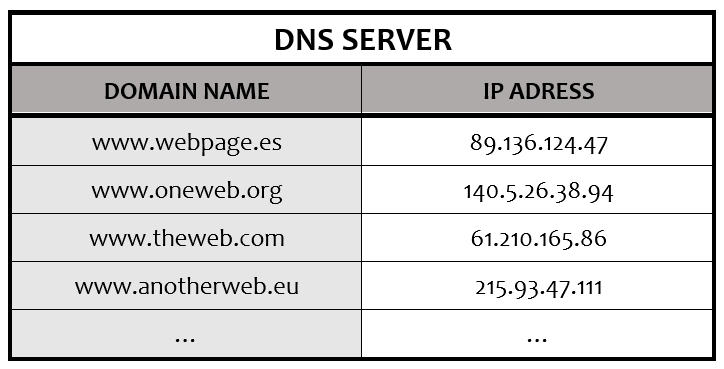
Here the DNS (Domain Name System) servers that we have talked about before come into play. These servers work in a similar way to the phone book of your mobile phone. When we want to call a friend we don’t usually remember its phone number by heart. Instead we usually search his or her name in the phone book where its number is saved and make the call from there, not even typing the phone number.

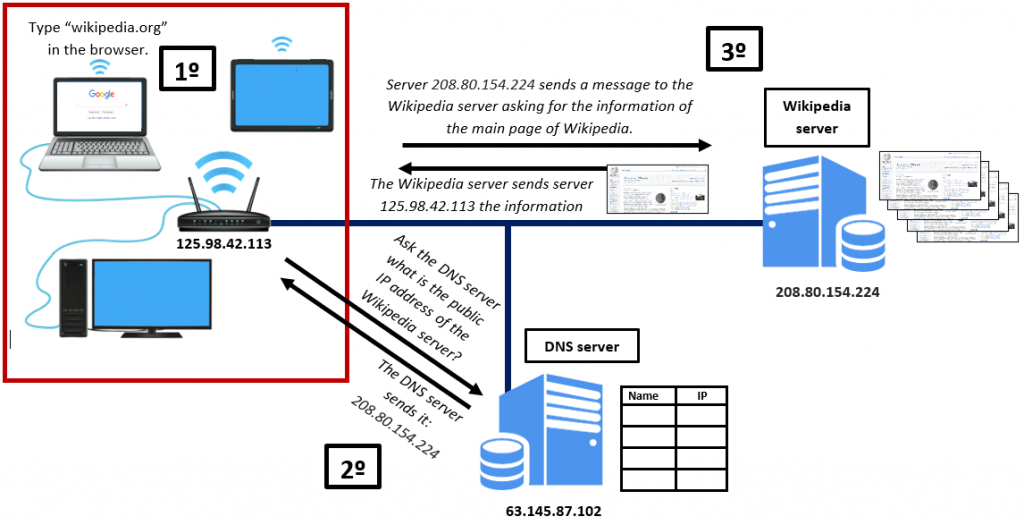
The same happens when we do an internet search. As it is not usual for us to know the IP address of a web page by heart, we write the name of that page in the search bar of our browser. Then, the browser contacts a DNS server, in which all the IP addresses corresponding to each web page are stored. Thus, the DNS server returns to our computer the IP address of the site we want to access iso that it is now possible for us to access the content of the page we want to visit.
The image below shows the whole process with a practical example: a Wikipedia search:
Finally… why is it sometimes impossible for us to access a web page? Sometimes, due to a technical problem, a server is not able to send the information from a website. In those cases, a message like the one in the image below, or another similar one, usually appears on the browser, warning us that at that moment it is not possible to enter the page:
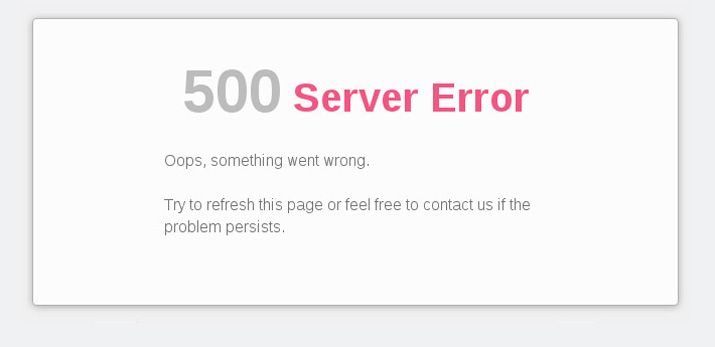
When a failure of this type occurs it does not mean that all the information on the website has been lost (in fact, the servers keep backup copies of all the information to avoid this). What it means is that communication between that server and the rest of the internet has been interrupted and that it will not be possible to access the information stored on it for a while.
URL or web address.
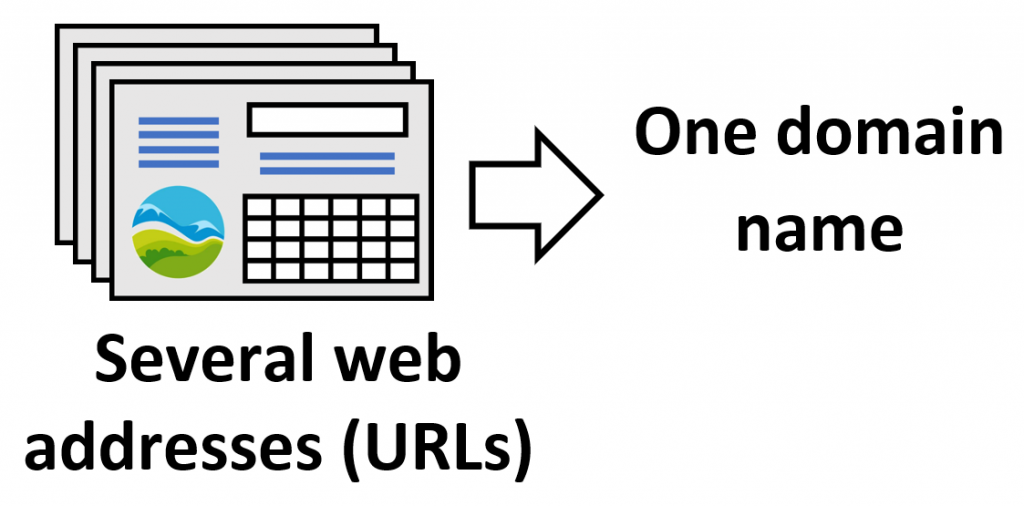
You shouldn’t confuse what a website domain and a web address are. As we’ve explained before, a website is made of several webpages. A domain name is the name of a whole website, for example «yourtechnologyweb.com» or «wikipedia.org», while a web address (or URL) is the location of a specific webpage on the internet. A web address contains more information than just the domain name because it includes the route that must be followed to reach a webpage.
For example, the web address below is the address that allows direct access to the web page where you are now, that is, «Internet and web pages», which in turn is included in «Contents 2nd ESO »in the page menu. Therefore, if you type that address in the bar of any browser, you will directly access that web page.
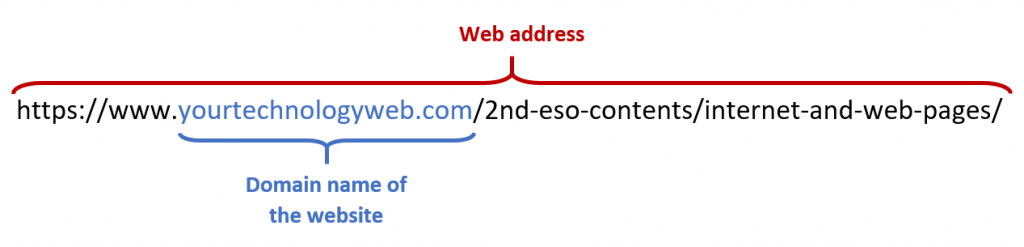
Or this other web address: «https://en.wikipedia.org/wiki/Technology» takes to a specific webpage inside the wikipedia.org website. As you can see, the domain name of the website appears in the web address but also some additional information related to the specific page.
Web search engines.
It is also a common mistake to confuse what a web browser and a web search engine are. Search engines are web pages that are used to find useful information for the user in a simple way.
If, for example, we want to buy a specific book, let’s say «Harry Potter and the Philosopher’s Stone» but we do not know which online bookstores will have it or we simply don’t remember the name of any bookstore web page, a search engine would be a great help. All you need to do is access the search engine and type «buy Harry Potter and the Philosopher’s Stone» in the search bar. This way, the search engine will return a bunch of links to web pages where you’ll be able to find information about how to buy that book easily.
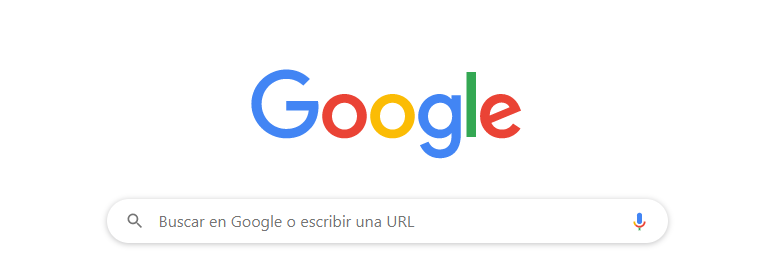
(Main page of the most used web search engine: Google)
That is, a search engine not only searches for websites related to the typed words, it directly shows the web pages that may interest us. For example, in the case of a book, it will not only search for different bookstore websites, but will display on the screen the web addresses of the pages related to that particular book, within the different bookstore websites.
The most widely used search engine is Google, which should not be confused with Google Chrome, which is a browser, although both belong to the same company. But there are other options when using a search engine:


Páginas: 1 2